Share your code with a friend who's new to us. You both get £5 credit, then you earn 2% on their orders.
You share it, your friend redeems it. Here's exactly where to look on each side.
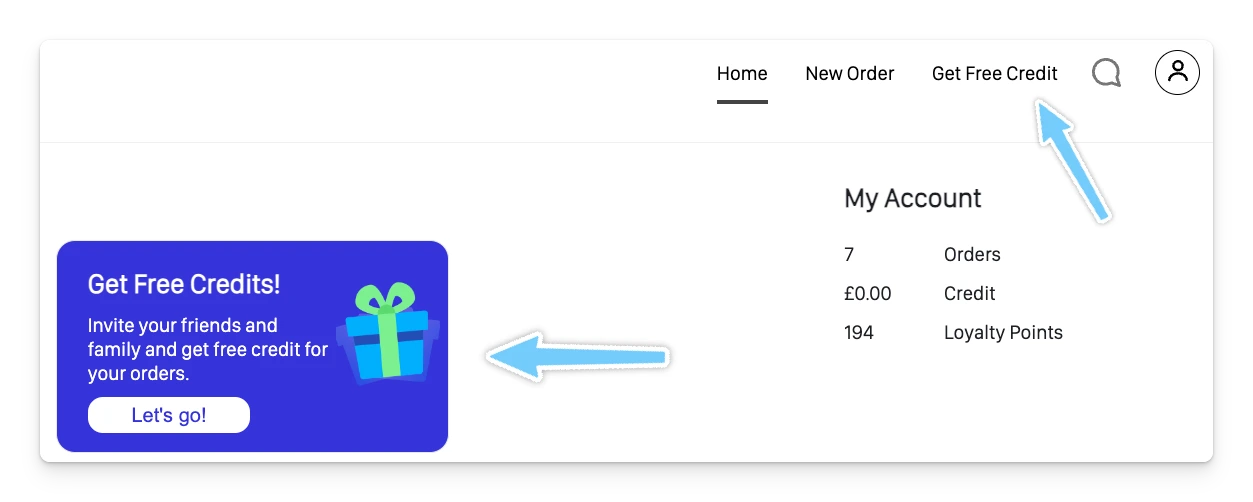
Log in as usual, or open the booking tool here.
Or look for the "Get Free Credits!" banner. Both take you to the same place.
See your referral benefits, then share your code straight to social media or copy it to send yourself.
When your friend's first order goes out, tell your driver or a member of the team. That's what starts your credit.
Our team applies it manually, so give it a little time. Not shown up? Just tell us and we'll add it. From here, your 2% runs automatically.
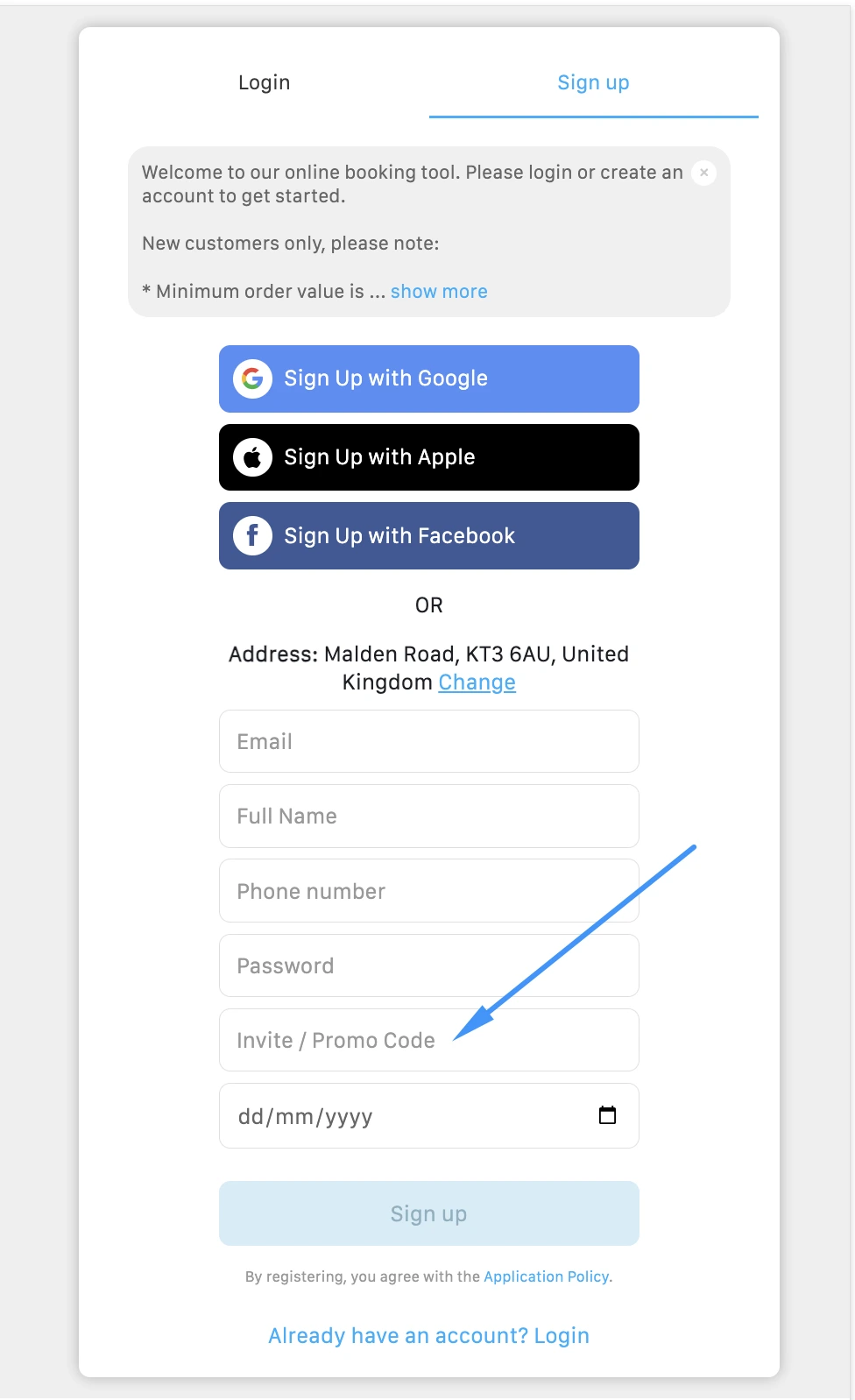
In the app or on the web booking tool, begin creating your account.
This is the code your friend shared with you. Type it into the "Invite / Promo Code" field on the sign-up form, above date of birth.
This is what starts everything. Make sure whoever referred you flags it to your driver or the team.
Our team applies your credit once that first order's processed. Hasn't shown up? Just let us know and we'll add it.
The two £5 credits are added by our team by hand. The 2% isn't: as long as your friend signed up with your code, our system credits you 2% of every order they place after their first. Nobody needs to tell us.
Still stuck? Message us on WhatsApp or call 020 7870 7975.
Log in, head to Invite Friends and start sharing. Just remember to flag your friend's first order to your driver or the team.
Referral programme: £5 for you and £5 for your friend, added by hand after their first order, plus an automatic 2% of every order they place after that.
In the Invite tab, or through the "Get Free Credits!" banner. Both appear in the app and the web booking tool once you're logged in.
Tap Invite Friends from the Invite tab. You'll see your referral benefits and can share your code straight to social media, or copy it to send however you like.
They type the referral code you shared into the Invite / Promo Code field while creating their account, in the app or on the web booking tool. Nothing else to do on their end.
Let your driver or a member of the team know once your friend's first order has gone out. Our team adds the £5 to your account by hand, so it isn't instant, but it will be added.
The same way. Once their first order is processed, our team adds the £5 to their account.
Just let us know. Both £5 credits are added by hand, so it's easy to check. Tell us and we'll add it to your account.
Yes. As long as your friend signed up with your code, our system credits you 2% on every order they place after their first. You don't need to tell us each time.
